
FOMEI LED ROLL - Guide d'utilisation et de contrôle PhotoRobot
Le manuel d'utilisation suivant fournit un aperçu et des instructions pour le fonctionnement de la lumière LED FOMEI ROLL avec les systèmes PhotoRobot. Ces informations visent à aider les clients PhotoRobot dans leur compréhension initiale et leur première utilisation des produits FOMEI LED ROLL. Trouvez la documentation sur les LED ROLL 62 DMX, LED ROLL 100 DMX, LED ROLL 250 DMX, et LED ROLL RGB 100 DMX.
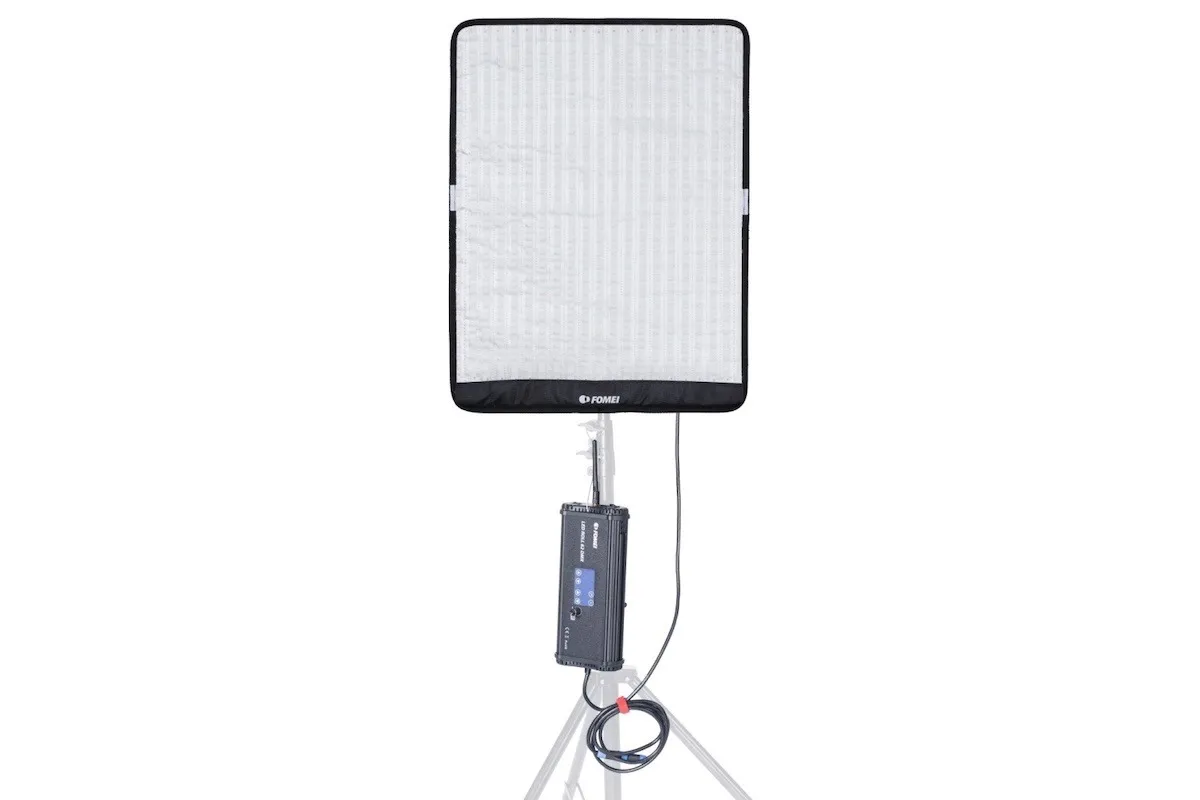
Note : Ce manuel d'utilisation est une reproduction de la documentation officielle du fabricant pour les produits FOMEI. Référez-vous au site web du fabricant fomei.com pour la documentation officielle de votre appareil spécifique. De plus, assurez-vous de lire tout manuel d'instructions fourni spécifiquement avec votre appareil avant sa première utilisation.
Important : Assurez-vous que le produit est intact et qu'il ne manque aucune pièce avant utilisation. N'ouvrez pas et ne réparez pas l'appareil vous-même. En cas de défaut, veuillez contacter FOMEI directement. Pour les informations de garantie et de maintenance des produits FOMEI, reportez-vous à la documentation fournie spécifiquement pour votre appareil.
Avant la première utilisation - Avertissements & Informations de sécurité
Avant la première utilisation, veuillez noter les avertissements généraux suivants du fabricant :
- Assurez-vous que le produit est intact et qu'il ne manque aucune pièce.
- En CASE de dommage, contactez un représentant de service professionnel de FOMEI.
- Lors de l'utilisation du produit, assurez-vous que l'environnement est sec et ventilé.
- Pour des performances optimales, nettoyez régulièrement le produit à l'aide d'un chiffon propre.
- Ne pas rayer ou appliquer de pression sur le produit.
De plus, assurez-vous de respecter les avertissements de sécurité du fabricant :
- N'utilisez pas votre unité LED dans un environnement où l'humidité est susceptible d'entrer en contact avec l'unité.
- Ne démontez pas le produit. En cas de dommage, contactez un représentant du service FOMEI, ou le service contractuel de professionnels qualifiés.
- Si le produit est démonté, il ne sera pas couvert par la garantie.
- Ne pas utiliser le produit à des températures extrêmes (+50° C)
- Le produit ne convient pas aux enfants.
- Ne branchez / débranchez pas l'appareil lorsque l'alimentation est toujours connectée.
- Ne surchargez pas la lumière plus que nécessaire.
- Ne pas obstruer les bouches d'aération pendant l'utilisation.
- Notez qu'un risque d'incendie existe si des matériaux inflammables sont placés à proximité lorsque l'unité est utilisée.
- Évitez de placer les câbles là où ils peuvent être dangereux.
- Tenir hors de portée des enfants.
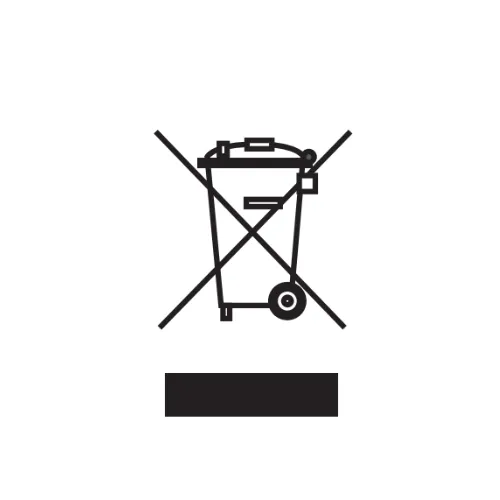
Concernant le recyclage et les étiquettes d'information, sachez que ce produit contient des pièces électroniques et des étiquettes pour son recyclage approprié. Ne jetez pas le produit avec les déchets ménagers, mais apportez-le plutôt à une installation de recyclage électronique. S'il vous plaît, protégez notre planète.
L'étiquette d'information avec la poubelle barrée signifie que, au sein de l'Union Européenne, le produit :
- Doit être collecté séparément conformément aux réglementations applicables en matière de déchets électroniques en fin de vie.
- Ceci s'applique à l'appareil et à tous les accessoires marqués de ce symbole.
- Ne jetez pas ces produits avec les déchets municipaux non triés.
PhotoRobot - Guide de l'utilisateur FOMEI LED ROLL
Le contenu de ce guide d'utilisation de PhotoRobot avec les produits FOMEI LED ROLL couvre les produits FOMEI suivants.
- LED ROLL 62 DMX (FY3606)
- LED ROLL 100 DMX (FY3607)
- LED ROLL 250 DMX (FY3608)
- LED ROLL RGB 100 DMX (FY3609)
1. À propos des produits FOMEI LED ROLL
Les produits FOMEI LED ROLL sont des lumières continues flexibles qui constituent une excellente alternative aux lumières de panneau classiques grâce à leur polyvalence. Le panneau est capable de se plier et de s'adapter à la scène, ou de fonctionner comme une lumière de panneau classique sur un support avec cadre en X.
En même temps, le Velcro à l'arrière du panneau et des bandes Velcro supplémentaires sont utilisables pour le positionnement, l'assemblage de plusieurs panneaux ou la fixation sur diverses surfaces.
Il est possible d'alimenter la lumière à partir de l'alimentation secteur ou de la batterie. Pendant ce temps, l'unité de contrôle légère et séparée permet une utilisation facile en extérieur, montée sur de grands pieds d'éclairage, ou dans des espaces moins accessibles en général.
Enfin, le LED ROLL s'enroule autour d'un tube en carton rigide. Nous recommandons d'utiliser ce tube pour le stockage et le transport afin de maintenir la durabilité et la protection du panneau.
2. Utilisation sur pied
Pour une utilisation sur pied, le FOMEI LED ROLL dispose de trous dans chaque coin à l'arrière de l'appareil pour insérer le cadre en X. Le cadre en X doit être étiré en diagonale, chaque extrémité s'insérant dans les coins à l'arrière du panneau LED ROLL.
Dans l'emballage, il y a aussi un joint de positionnement, qui se fixe au support transversal (à son centre). Il est alors possible de fixer l'autre extrémité au spigot (la réduction au sommet d'un pied de studio) d'un pied de studio commun. Cela permet de dérouler la lumière en un panneau LED plat pour le positionner si nécessaire.
3. Utilisation hors pied
Pour utiliser le ROMEI LED ROLL sans support, les panneaux flexibles en dehors du support sont à la fois flexibles et légers. Cela permet de positionner le panneau sur scène et de créer une large gamme de formes. Il est possible pour un assistant de tenir le LED ROLL, ou de le fixer en place avec le Velcro le long de tout le bord du côté arrière du panneau. De cette manière, il est possible d'attacher plusieurs panneaux les uns aux autres pour augmenter la surface de la source lumineuse.
4. Utilisation de la Softbox
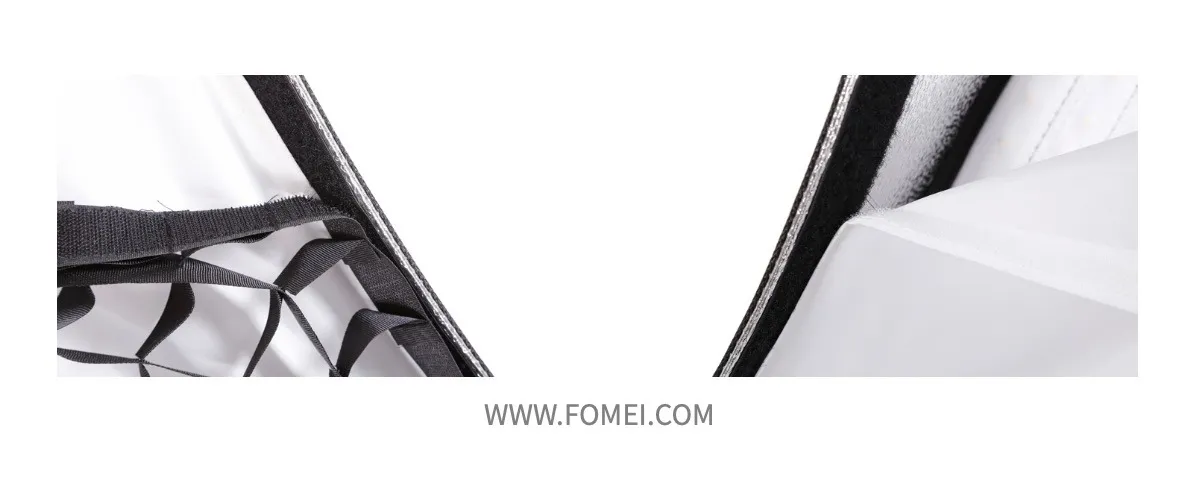
La softbox pour le FOMEI LED ROLL se compose d'un FRAME pliant, d'un diffuseur et d'un filtre nid d'abeille. À l'aide des bandes Velcro, il est possible de déplier le FRAME et de fixer son bord extérieur à l'avant de la lumière LED. Le Velcro autour des bords extérieurs doit se replier sur l'arrière de la lumière et se fixer au bord. De plus, le FRAME s'étire pour y tendre le tissu de diffusion, qui se fixe ensuite aux bords intérieurs par Velcro. Cela permet à la softbox de créer une diffusion de lumière plus homogène. Ensuite, le serrage du filtre nid d'abeille sert également à diriger la lumière et à limiter son flux si nécessaire.
5. Unités de contrôle FOMEI LED ROLL
Unité de contrôle LED ROLL 62 DMX / LED ROLL 100 DMX

- Montrer
- Écran tactile de contrôle (Puissance de sortie, Canal DMX)
- Cadran rotatif pour le réglage de la puissance de sortie / Mode d'économie d'énergie (Appuyer)
- Câble de connexion pour l'alimentation du panneau LED ROLL
- Connecteur pour l'alimentation de l'unité
- Connexion de batterie V-Mount
- Câble en acier pour suspendre l'unité de contrôle
- Connecteurs DMX RJ45 – Entrée / Sortie
- Étiquette avec description des broches individuelles sur DMX
Unité de contrôle LED ROLL 250 DMX

- Montrer
- Boutons pour sélectionner les paramètres – Alimentation, Canal (DMX), Modes prédéfinis
- Sélecteur rotatif pour changer les paramètres de chaque mode
- Câble pour connecter l'unité de contrôle avec la lumière LED ROLL
- 2 x plaques V-Mount pour batteries
- Interrupteur MARCHE / ARRÊT
- Connecteur pour l'alimentation électrique
- DMX RJ45 – Entrée / Sortie
- Poignées métalliques
Unité de contrôle LED ROLL 100 RGB DMX

- Montrer
- Commandes (A. Teinte ; B. Saturation ; C. Intensité ; D. CCT ; E. Puissance de sortie, F. Canal, G. Scènes de film)
- Sélecteur rotatif pour le réglage des modes individuels
- Câble de connexion de l'unité de commande à la lumière LED ROLL
- Connecteur pour l'alimentation électrique
- Interrupteur MARCHE / ARRÊT
- DMX RJ45 – Entrée / Sortie
- Câble en acier pour la suspension de l'unité de contrôle
- Antenne pour la réception du signal du contrôleur sans fil (en option)
RC-1 CONTRÔLEUR POUR BANDE LED 100 DMX
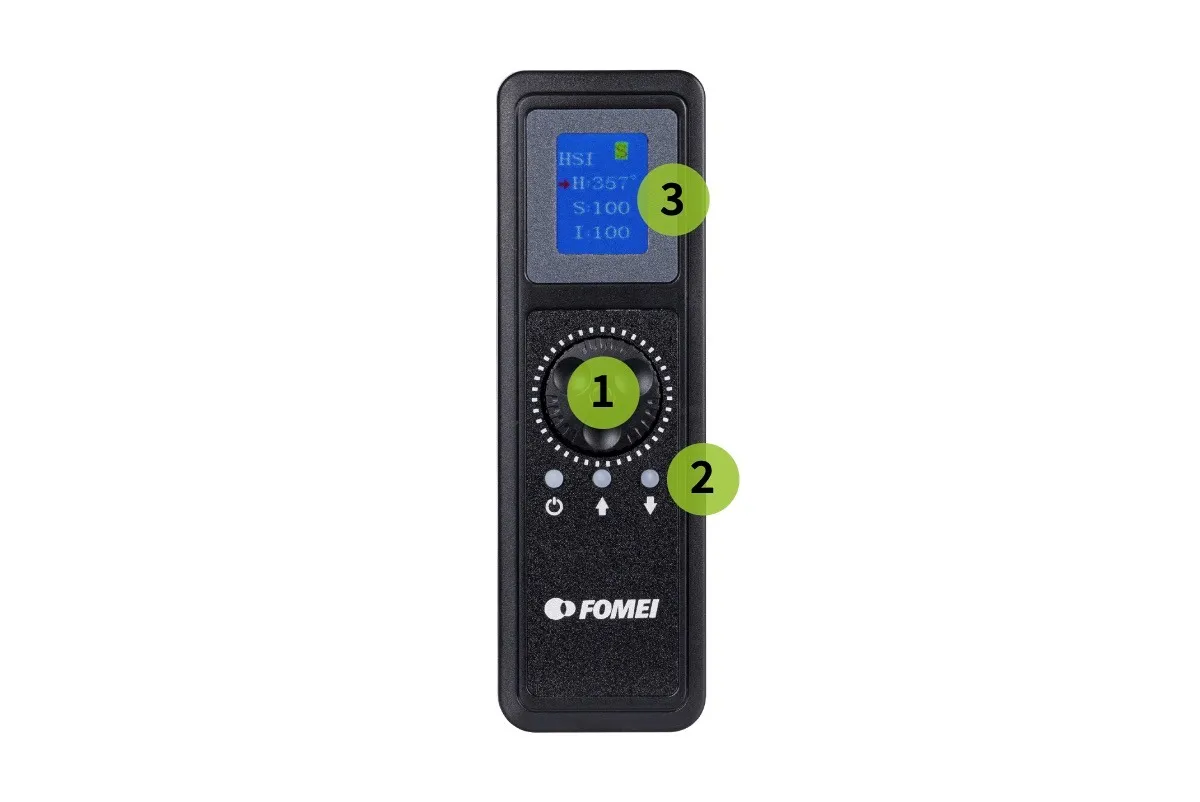
- Sélecteur rotatif pour le réglage des modes individuels
- Boutons pour basculer entre les modes et bouton ON / OFF
- Montrer
Installation de la batterie
Pour insérer les piles, assurez-vous de les insérer complètement dans le support. La pile clique lorsqu'elle se verrouille en place. Pour retirer les piles, appuyez sur le verrou de la pile sur le côté du support, puis retirez la pile.
Lumière ON / OFF
Assurez-vous toujours que la lumière est OFF avant de connecter la batterie / l'alimentation. Après avoir connecté la batterie / l'adaptateur AC, mettez l'interrupteur sur ON. Pour éteindre à nouveau la lumière, mettez l'interrupteur sur la position OFF.
6. Ce qui est inclus dans chaque emballage d'appareil
FY3606 FOMEI LED ROLL 62 DMX
- LED ROLL 62 DMX
- Unité de contrôle
- Bandes de connexion / manipulation Velcro
- Sac de transport
- Alimentation CA
- Support de cadre en X réglable avec joint de trépied
- Piles non incluses
FY3607 FOMEI LED ROLL 100 DMX
- LED ROLL 100 DMX
- Unité de contrôle
- Bandes de connexion / manipulation Velcro
- Sac de transport
- Alimentation CA
- Support de cadre en X réglable avec joint de trépied
- Piles non incluses
FY3608 FOMEI LED ROLL 250 DMX
- LED ROLL 250 DMX
- Unité de contrôle
- Bandes de connexion / manipulation Velcro
- Sac de transport Shell
- Alimentation CA
- Support de cadre en X réglable avec joint de trépied
- Piles non incluses
FY3609 FOMEI LED ROLL 100 RGB DMX
- LED ROLL 100 RGB DMX
- Unité de contrôle
- Bandes de connexion / manipulation Velcro
- Mallette de transport en plastique durci
- Alimentation CA
- Support de cadre en X réglable avec joint de trépied
- Piles non incluses
7. Informations techniques
Spécifications du LED ROLL 62 DMX
Spécifications du LED ROLL 100 DMX
Spécifications du LED ROLL 250 DMX
Spécifications du LED ROLL RGB 100 DMX
Informations et contact de la société FOMEI
La société FOMEI s.r.o. est enregistrée à l'adresse : Machkova 587, Hradec Kralove 500 11, République tchèque.
E-mail à sls@fomei.com pour les demandes générales, ou à servis@fomei.com pour les demandes de service.
Téléphone : +420 495 056 505
Notes finales
Ceci est une reproduction de la documentation officielle du fabricant FOMEI LED ROLL, également disponible en version PDF téléchargeable sur fomei.com. Pour les informations de service, veuillez vous référer à la documentation fournie spécifiquement avec votre appareil, ou au service après-vente FOMEI pour un support immédiat.


Série EOS Rebel


Série EOS DSLR


Série EOS M sans miroir


Série PowerShot


Gros plan / À main levée

La série Canon EOS Rebel propose des appareils photo reflex numériques adaptés aux débutants avec une qualité d’image solide, des commandes intuitives et des fonctionnalités polyvalentes. Idéal pour les amateurs de photographie, ces appareils photo offrent une mise au point automatique fiable, des écrans tactiles orientables et un enregistrement vidéo Full HD ou 4K.
Connexion
Résolution (MP)
Résolution
La série Canon EOS DSLR offre des images de haute qualité, une mise au point automatique rapide et une polyvalence, ce qui la rend idéale pour la photographie et la production vidéo.
Connexion
Résolution (MP)
Résolution
La série Canon EOS M Mirrorless combine un design compact avec des performances similaires à celles d’un reflex numérique. Dotés d’objectifs interchangeables, d’un autofocus rapide et de capteurs d’image de haute qualité, ces appareils photo sont parfaits pour les voyageurs et les créateurs de contenu à la recherche de portabilité sans sacrifier la qualité d’image.
Connexion
Résolution (MP)
Résolution
La série Canon PowerShot propose des appareils photo compacts et conviviaux pour les photographes occasionnels et les passionnés. Avec des modèles allant du simple appareil photo compact aux appareils photo zoom avancés, ils offrent commodité, une qualité d’image solide et des fonctionnalités telles que la stabilisation d’image et la vidéo 4K.
Connexion
Résolution (MP)
Résolution
Les appareils photo rapprochés et portables de Canon sont conçus pour la photographie et la vidéo détaillées et rapprochées. Compacts et faciles à utiliser, ils offrent une mise au point précise, une imagerie haute résolution et des capacités macro polyvalentes, parfaites pour le vlogging, la photographie de produits et les gros plans créatifs.


